
A Guide to AI Image Manipulation for Creative Projects
Discover the essentials of AI image manipulation. Learn practical techniques, ethical guidelines, and safe workflows to transform your creative projects.
Table of Contents
AI image manipulation is exactly what it sounds like: using artificial intelligence to alter, create, or enhance images from simple text instructions. Forget spending hours pushing pixels around in Photoshop. Here, you're collaborating with an AI that acts as your personal digital artist, one that works at the speed of thought to bring your vision to life.
Your New Creative Partner in Visuals
The best way to think about this isn't as some complex technical process, but more like working with a master sculptor. You just describe the changes you want—"make the sky look like a sunset" or "add a vintage car to this street scene"—and the AI gets to work, reshaping the digital clay of the image to match your instructions. This technology has gone far beyond simple filters; we're talking about fundamental changes to an image's content, style, and entire composition.
This incredible capability is powered by AI models that have been trained on billions of images. By analyzing that massive dataset, they've learned the intricate connections between words and visual concepts, which is how they can understand and execute your commands. Best of all, this process has become incredibly accessible, opening up a whole new world of creative possibilities for everyone, from marketing pros to someone just having fun.
The Scale of the AI Visual Revolution
The impact of this shift is nothing short of staggering. Since 2022, people have created over 15 billion AI-generated images. To put that in perspective, it took traditional photography nearly 150 years to hit that milestone.
Today, an estimated 34 million new AI images are produced every single day. It's no surprise that AI-generated visuals now power over 68% of marketing and social media campaigns.
This explosion in content production is completely changing how we create visuals. The core idea behind it is powerful in its simplicity:
- You provide a text prompt: Just a descriptive sentence explaining what you want.
- The AI interprets your words: It breaks down the text to understand the subject, style, and action.
- It generates or modifies the image: The model then builds a new visual from scratch or alters an existing one to fit your prompt.
At its heart, AI image manipulation is about translating human language into visual art. It breaks down the technical barriers, allowing anyone to produce professional-quality visuals with just a few words.
This process is a big piece of a much larger field known as synthetic media, which also includes AI-generated video, voice, and text. You can get a deeper understanding by reading our guide on what is synthetic media.
Ultimately, AI manipulation gives you the power to direct a tireless, highly skilled artist who can generate endless variations of your ideas in an instant.
Understanding Core AI Manipulation Techniques
To really get a handle on what AI can do with images, it helps to peek behind the curtain at the technologies that make it all happen. These aren't just abstract ideas; they're the engines powering the creative tools we're all starting to use. Let's skip the dense technical jargon and break them down with some straightforward analogies.
Think of the whole thing as a conversation where you describe an idea, and the AI draws it for you. The simple workflow below shows exactly how that works.
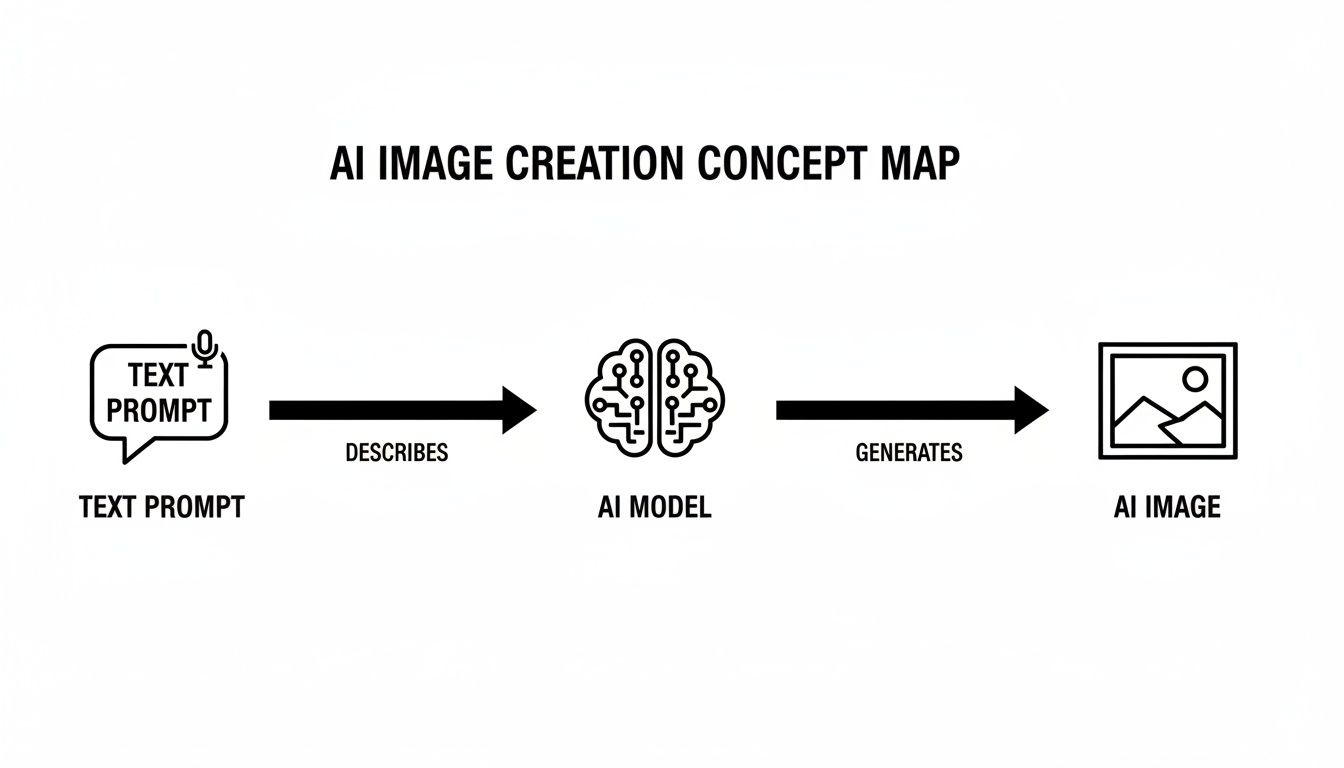
This visual captures the core process: your words become a picture. Each of the techniques we're about to explore puts its own unique spin on this fundamental concept.
Comparing AI Image Manipulation Techniques
To make things clearer, let's line up the main AI techniques side-by-side. This table breaks down what each one does, where it shines, and gives you a simple way to think about it.
| Technique | Core Function | Best Used For | Simple Analogy |
|---|---|---|---|
| Diffusion Models | Generates images by gradually refining random noise into a coherent picture based on a prompt. | Creating highly detailed, photorealistic images from scratch. | A digital sculptor carving a masterpiece out of a block of static. |
| GANs | Two AIs (a generator and a discriminator) compete to create and detect fakes, pushing for extreme realism. | Producing hyper-realistic faces, art, and deepfakes where believability is key. | An art forger trying to fool a detective until the forgeries are perfect. |
| Inpainting | Intelligently fills in missing or removed parts of an image by analyzing the surrounding context. | Removing unwanted objects, repairing old photos, or adding new elements seamlessly. | A magical art restorer who can perfectly repaint a damaged canvas. |
Each of these methods offers a different path to the same goal: bringing your creative vision to life. Now, let’s look a little closer at what makes them tick.
Diffusion Models: The Digital Sculptor
Most of the AI image tools you see today, especially the popular ones, are built on something called diffusion models. The best way to picture this is to imagine a sculptor who starts with a raw, formless block of marble. At first, it's just chaos—much like a screen full of random digital "noise."
Guided by your text prompt, the AI acts like that sculptor, methodically chipping away at the noise. With each step, it refines the chaos, slowly revealing the coherent image hidden within. This patient, step-by-step process is what allows for such incredible precision and realism.
Because diffusion models build images progressively, they're fantastic at understanding complex ideas and nailing realistic textures, lighting, and tiny details. They are the true workhorses behind the stunningly lifelike results that have put AI image manipulation on the map.
Generative Adversarial Networks: The Creative Duel
Another foundational technology is the Generative Adversarial Network, or GAN. Forget the complicated name. Just think of it as a creative duel between two AIs: one is a forger, and the other is a detective.
- The Forger (Generator): This AI’s only job is to create images that look 100% real. It starts out making clumsy fakes but gets better with every attempt.
- The Detective (Discriminator): This AI is an expert art authenticator. Its job is to spot the forger’s work by comparing it to a massive library of real images.
This forces a relentless competition. Every time the detective spots a fake, the forger learns from its mistake and tries to create an even more convincing image. In turn, the detective gets better at spotting even the most subtle flaws. This goes on for millions of rounds until the forger is so good that its creations are indistinguishable from the real thing.
This constant back-and-forth is what makes GANs so powerful. The competitive pressure pushes the generator to achieve an incredibly high standard of quality, resulting in images that can be breathtakingly believable.
Inpainting: The Magical Art Restorer
So what happens when you don't want to create something from scratch, but just want to tweak an existing photo? That’s where inpainting comes in. Think of it as a magical undo button for your pictures.
Let's say you have a great photo, but an unwanted object is photobombing your perfect shot. With inpainting, you just highlight or "mask" that object. The AI then instantly analyzes all the pixels around it—the colors, the textures, the lighting—and intelligently fills in the blank spot.
It doesn’t just smudge the area over. It completely reconstructs it with brand-new content that blends in perfectly. This AI image manipulation technique is a game-changer for:
- Removing people or distracting objects from backgrounds.
- Repairing torn, creased, or damaged old photographs.
- Adding new elements into a scene as if they were always there.
Each of these technologies plays a different role, but they all share one goal: turning your intent into a visual reality. Knowing how they work gives you a much better feel for writing instructions that get you the results you want. To get even better at that, check out our complete guide to crafting the perfect AI picture prompt.
Putting AI Image Manipulation Into Practice
Knowing the theory is one thing, but the real magic happens when you see AI image manipulation deliver actual results. For creators and brands, this isn't just a cool new toy—it's a practical way to create incredible visuals faster and more affordably than ever. It’s all about turning an idea in your head into a tangible asset for your business.
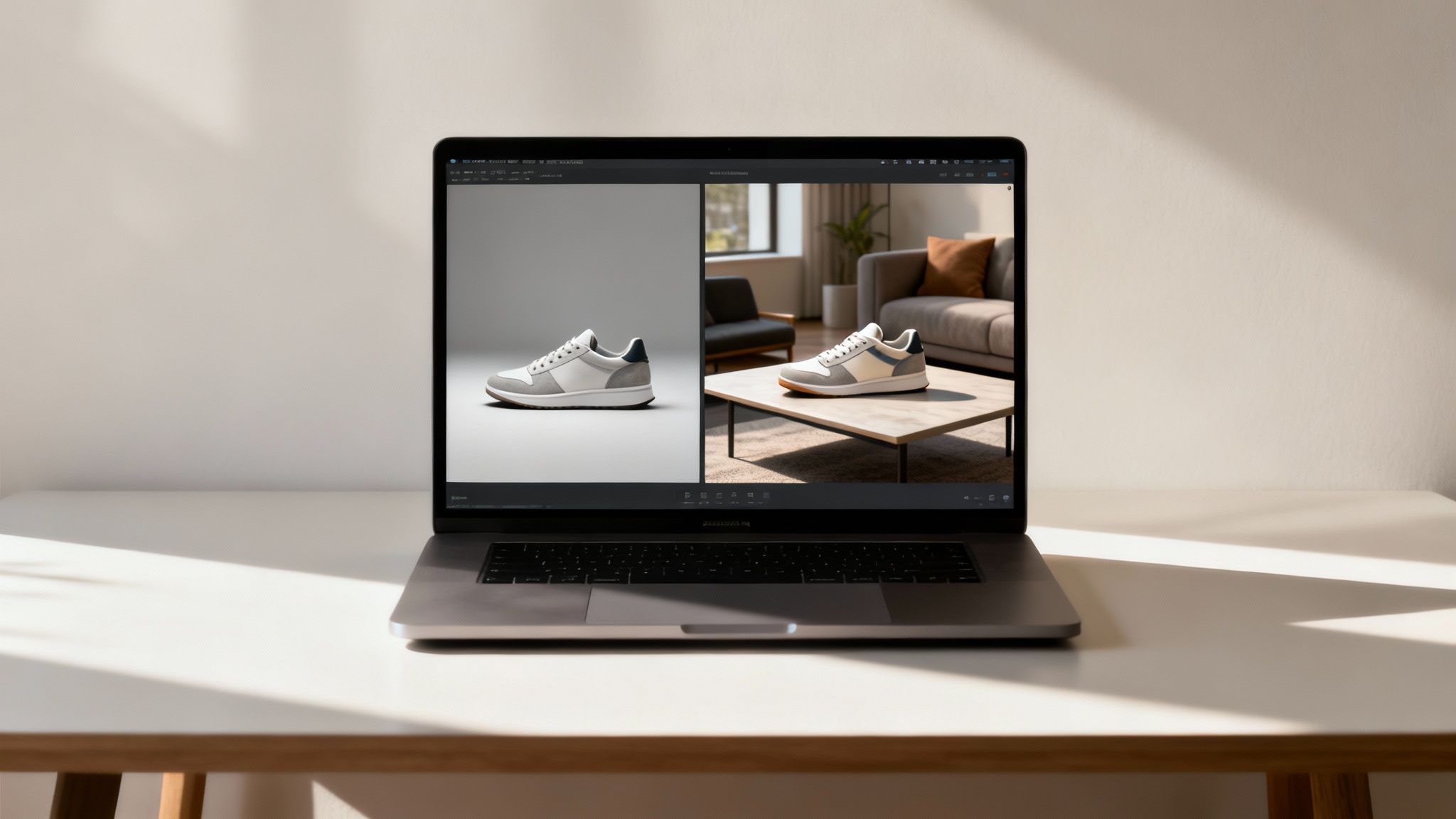
Think about launching a new sneaker. The old way involved hiring a photographer, booking a studio, finding models, and scouting multiple locations just for a handful of marketing shots. Now, you can get breathtaking results with a single, clean photo of your shoe and a few smart text prompts. A process that once took a week is now wrapped up in a few minutes.
Crafting the Perfect Prompt
The secret sauce here is prompt engineering. It's the art and science of giving the AI instructions it can understand and execute flawlessly. A vague prompt will give you a generic, uninspired image. But a specific, detailed one? That’s how you get exactly what you’re picturing.
The difference between "sneaker in a city" and "a white and grey sneaker on a rain-slicked neon-lit Tokyo street at night, photorealistic, cinematic lighting" is massive. One is a concept; the other is a vision.
Let's walk through a simple workflow for creating a product backdrop.
- Start with a clean product shot: Use a high-resolution photo of your item, ideally on a simple or transparent background.
- Describe the scene: Write a rich description of the environment. Think about the location, time of day, lighting, and overall mood you're after.
- Define the style: Add keywords that set the aesthetic. Words like "minimalist," "vibrant," "moody," "8k resolution," or "shot on film" act as creative guardrails for the AI.
- Iterate and refine: Your first try might not be perfect, and that's okay. Tweak your prompt by adding, removing, or swapping words until the output clicks.
This back-and-forth is crucial. Don't think of it as giving a single order. It's more like having a creative conversation with the AI, where each adjustment gets you closer to that perfect final image.
To see just how powerful this is for commercial use, look at the rise of AI-driven ad creative generation tools. These platforms use these same ideas to build entire ad campaigns automatically.
From Simple Edits to Full-Blown Scenes
AI image manipulation goes way beyond swapping backgrounds. You can build entire lifestyle scenes from scratch, placing your product in a context that tells a story and resonates with your audience. This is where you start blending different AI techniques for a truly polished result. You might generate a whole scene and then use inpainting to seamlessly place your product right in the middle of it.
Here are a few common ways brands and creators are already using this:
- E-commerce Listings: Generate dozens of unique photos showing your product in different settings—on a sleek marble countertop, at a sunny beach, or in a cozy kitchen—all without leaving your chair.
- Social Media Content: Create stunning, on-brand visuals for Instagram or Pinterest. You can instantly place your product in seasonal themes, holiday settings, or even mimic user-generated content styles.
- Marketing Campaigns: Develop a whole series of ad images that all share the same branding, lighting, and mood for a totally cohesive campaign.
The ability to churn out a high volume of quality, on-brand content this quickly is a total game-changer. And if you're looking to improve photos you already have, our guide on AI image enhancement has some great tips for sharpening details and boosting quality.
Prompt Templates to Get You Started
Ready to give it a try? Here are a few templates you can adapt. Just swap out the bracketed text with your own details.
For a Minimalist Product Backdrop:
"A [your product] placed on a clean, white marble surface. Soft, natural morning light from a window on the left. Minimalist composition, soft shadows, 4k resolution."
For a Lifestyle Scene:
"Top-down view of a rustic wooden coffee table with a [your product], an open book, a steaming mug of coffee, and a small succulent. Cozy and warm atmosphere, morning light, photorealistic."
For a Social Media Post:
"A vibrant flat lay of [your product] surrounded by [related items like flowers, accessories, or ingredients]. Bright, cheerful lighting, bold colors, perfect for an Instagram feed."
These simple prompts show how a bit of structure can guide the AI to create professional-level visuals. Once you get the hang of this new kind of creative direction, you'll have a nearly endless supply of custom imagery for any project you can dream up.
Navigating The Ethical and Legal Landscape
The incredible creative power of AI image manipulation also opens up a whole new can of worms. As these tools get easier for everyone to use, creators and brands have to get smart about the ethical and legal lines they need to walk. This isn't just about covering your bases; it’s about innovating responsibly and keeping the trust of your audience.
We're in a bit of a gray area right now, with big questions swirling around who owns an AI-generated image or how to responsibly use a person's likeness. Getting a handle on these issues is key to moving forward.
The Murky Waters of Copyright
One of the hottest debates is all about copyright. If an AI makes an image, who owns it? The answer might surprise you: often, nobody does.
Right now, legal bodies like the U.S. Copyright Office are leaning toward the idea that art made entirely by AI, without a heavy human hand in the process, can't be copyrighted. That means it could end up in the public domain for anyone to use.
An image is only eligible for copyright protection if it is the product of human creativity. When an AI generates an image solely from a text prompt, the creative input is often seen as coming from the machine, not the user.
But here’s the twist. If you take that AI image and put some real work into it—think detailed photo editing, complex compositing, or other artistic touches—the final piece might just qualify for copyright protection. The magic ingredient is transformative human input. For brands, this is a big deal. Just typing a prompt and hitting "generate" won't be enough to lock down exclusive rights to an image.
Likeness, Deepfakes, and Misinformation
Beyond who owns what, AI image manipulation brings up some serious ethical red flags around authenticity and deception. The power to create photorealistic images of people, including famous ones, can easily be misused.
Using someone's likeness without their permission is a huge legal risk. Creating images of celebrities or even private citizens without their consent can land you in legal hot water and seriously tarnish your brand's reputation. This is especially true as AI tools let us create convincing digital avatars and virtual influencers, a topic we dive into in our article on the rise of AI-generated influencers.
This same technology is what powers deepfakes, which are becoming a massive problem. While AI offers amazing creative possibilities, it’s also fueling a rise in deepfake fraud. The number of deepfake files floating around the globe is expected to jump from about 500,000 in 2023 to 8 million by 2025—that's a mind-boggling annual growth rate of roughly 900%. This explosion is predicted to lead to $40 billion in losses from generative AI fraud in the U.S. by 2027, especially since humans can only spot a high-quality deepfake about 24.5% of the time.
Building an Ethical Framework
So, with all this power at your fingertips, how do you use it responsibly? It all starts with building a solid ethical framework for your creative work.
Here are three simple principles to live by when using AI image manipulation:
- Prioritize Transparency: Be upfront when an image has been heavily altered or generated by AI, particularly if it’s for commercial or editorial use. Honesty builds trust and keeps you out of trouble.
- Respect Consent and Likeness: Just don't generate images of real people—public figures or private individuals—without getting their clear permission first. It's much safer to create original characters or work with models who have agreed to have their likeness used.
- Avoid Harmful Content: Make it a rule to never create or share images that are meant to deceive, defame, or spread misinformation. The whole point is to use AI to create and inspire, not to mislead or hurt people.
As we navigate these issues, it’s also important to think about the bigger picture, like the impact of AI on graphic designers. By taking an ethical-first approach, you can make sure you're a responsible and respected creator in this exciting new era.
Best Practices For Quality and Security
Getting professional-looking results with AI image manipulation is about more than just writing a clever prompt. It’s about building a smart process that combines your creative vision with the right technical steps. At the same time, as you're making these amazing visuals, you need to think about protecting your work, your data, and your intellectual property. It's a balancing act, but getting it right means you can create freely and safely.
The path to that perfect image is rarely a straight line. Don't get frustrated if the first try isn't a masterpiece. Think of it more like a conversation with your AI tool—each tweak to your prompt is a step closer to what you have in your head.
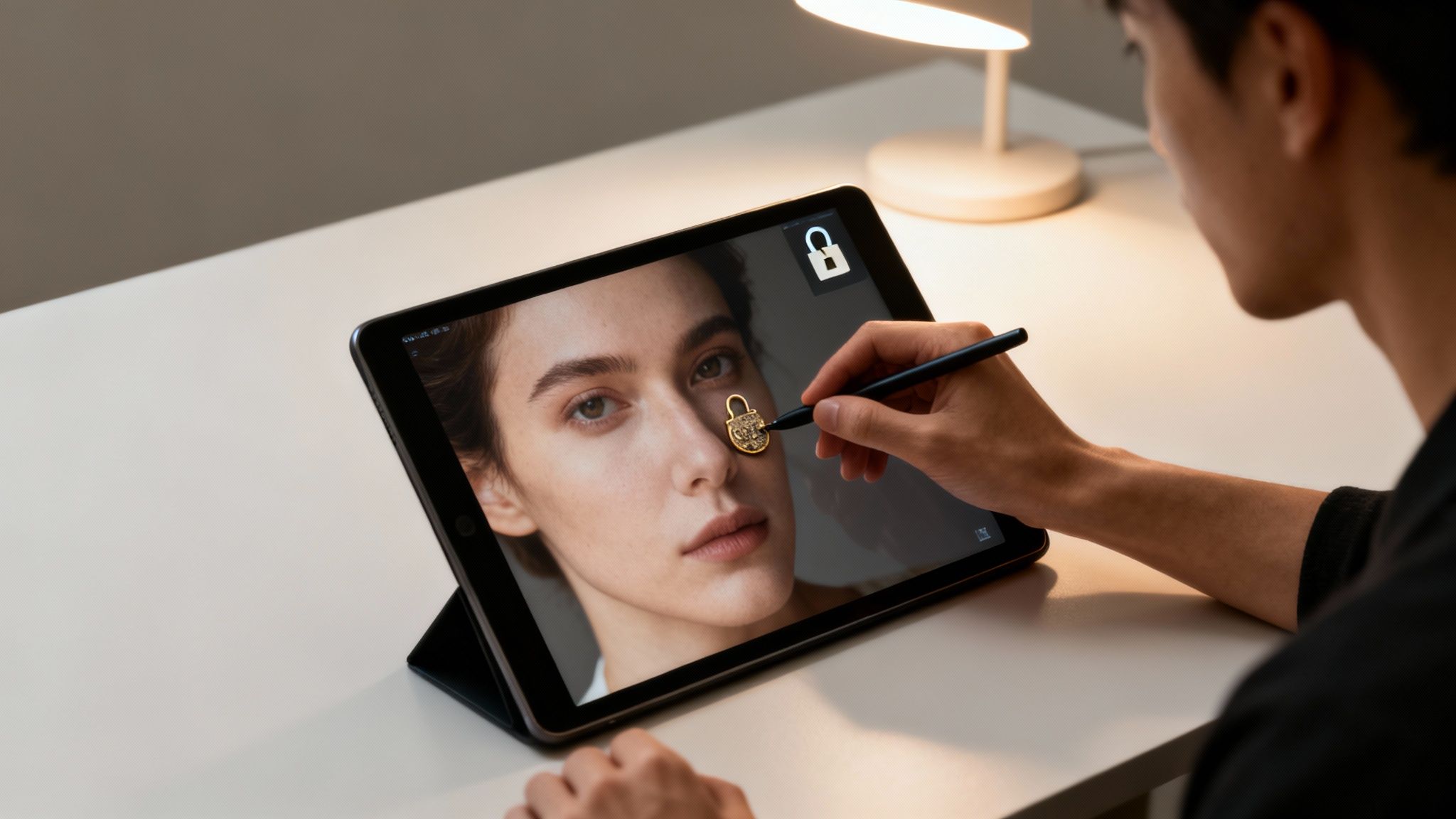
This is where trusted platforms like YourAIPhotographer really help. They handle the complex security side of things, so you can just focus on being creative. When you choose a well-established tool, you’re not just getting better technology; you're also getting peace of mind.
Elevating Your Image Quality
Generating a great AI image is just the start. The real magic happens when you polish it. Even the best AI models can trip up on small details, like creating wonky hands or weird visual glitches. The good news is, a few simple tricks can fix these issues and take your final image from good to great.
First off, pick the right AI model for your style. Some are incredible at creating photorealistic images, while others are built for more illustrative or artistic looks. It’s worth playing around with a few to see which one clicks with your project’s vibe.
Next, get comfortable with refining your prompts. If the AI keeps generating hands that look like they belong to an alien, you can add a negative prompt like (--no malformed hands, distorted fingers) to steer it in the right direction. You can also use inpainting tools to draw a box around the flawed area and tell the AI to regenerate just that little piece until it looks perfect.
And finally, don't forget about post-processing. A few tweaks in a photo editor can make all the difference:
- Color Correction: Adjust the brightness, contrast, and saturation to make the colors really sing and match your brand’s palette.
- Sharpening: A little bit of sharpening can bring out the details and give your image a crisp, professional finish.
- Grain: Sometimes, adding a hint of film grain can make a digital image feel warmer and more natural.
The best AI-generated images are a team effort between a human and the machine. Let the AI do the heavy lifting to create the basic visual, then step in with your own artistic touch to perfect it.
Safeguarding Your Creative Process
While you’re focused on making your images look amazing, it's just as important to keep security in mind. There are a ton of AI image manipulation tools out there, and they're not all built the same. Protecting your work starts with being smart about the platforms you use.
First, always do a quick background check on your tools. Stick to well-known platforms that have clear privacy policies. You should know how they're using your data, especially if you're uploading your own photos or designs for a new product. Be careful with free tools that are vague about how they handle your information. If you want to learn more about how AI is being used safely in creative fields, check out our guide on AI for photography.
Second, be smart about what you upload. As a rule of thumb, don't upload sensitive personal info, confidential business documents, or anything you wouldn’t want posted on a billboard. Even on a secure platform, it's always best to only share what's absolutely necessary.
Lastly, take a moment to read the terms of service. You need to know who actually owns the images you create. Some platforms give you full ownership, while others might keep some rights for themselves. This is a huge deal for commercial projects, as understanding this upfront can save you from major legal headaches later on.
Your Guide To Common AI Manipulation Questions
As you start playing around with AI image manipulation, you're bound to have some questions. It’s a new frontier, after all. From who actually owns the images to how hard it is to get started, let's clear up some of the big ones so you can create with confidence.
Getting a handle on these topics is key to using these amazing tools the right way. The answers usually sit at a crossroads of law, ethics, and good old-fashioned practical advice.
Can I Copyright Images I Create With AI?
This is the million-dollar question, and the answer isn't a simple yes or no. In most cases, an image that an AI spits out entirely on its own from a text prompt can't be copyrighted. The U.S. Copyright Office, for example, says that copyright protection is reserved for works with significant human authorship.
But here’s where it gets interesting. The game changes once you roll up your sleeves and add your own creative work. If you take an AI-generated image as a starting point and then seriously modify it—maybe through detailed edits in Photoshop, combining it with other images, or adding your own hand-drawn elements—the final piece might just qualify for copyright. The magic word here is transformative human input.
Simply typing a prompt into a generator usually isn't enough to claim ownership. To get that copyright, your own creative effort has to be substantial and easy to spot.
For any brand or creator looking to protect their visual assets, this is a critical distinction. It's the difference between having a cool image and owning a unique piece of marketing material.
Is Learning AI Image Manipulation Difficult?
It's natural to look at this powerful tech and think you need a degree in computer science to use it. The good news? That's just not true anymore. While becoming a true master of complex workflows takes time, getting your feet wet with AI image manipulation is surprisingly straightforward.
Most of the tools available today were built for regular people, not programmers. The whole process is based on plain language. If you can describe the image in your head, you can start making it. You don’t need to code, and you don’t need a background in graphic design.
The real learning curve is in figuring out how to "talk" to the AI. It’s more of an art than a science. You'll quickly learn which words produce certain styles and how a slight change in your prompt can dramatically alter the result. Think of it as a fun process of trial and error, open to anyone with an idea.
What Is The Biggest Mistake To Avoid?
Without a doubt, the single biggest mistake you can make is using AI to create misleading or harmful content. This is a wide spectrum, covering everything from malicious deepfakes to images designed to spread misinformation. The ability to create photorealistic images comes with a heavy responsibility to be ethical.
For creators and brands, this all boils down to one thing: transparency. You have to be upfront when an image is heavily generated or altered by AI, especially if you’re using it for advertising or journalism. Honesty builds trust with your audience and safeguards your reputation.
Stick to these three core principles and you'll be on solid ground:
- Always Disclose AI Use: Put a clear label on AI-generated content, particularly if it looks like a real photo of people or places.
- Respect Individual Likeness: Never, ever create images of real people without getting their explicit permission first.
- Avoid Deception: Don’t make stuff that’s designed to trick, defame, or misinform anyone.
Following these guidelines lets you innovate and have fun with this technology while staying clear of the ethical traps and legal headaches.
Ready to create stunning, professional-grade visuals without the complexity? YourAIPhotographer provides a secure and user-friendly platform to bring your creative vision to life. Generate unlimited, high-quality images of your personal AI model in seconds. Get started today at https://youraiphotographer.com.