

ai image enhancement: Boost Photos with AI-Powered Clarity
Discover ai image enhancement techniques to fix blur, upscale resolution, and create sharp, professional images with AI.
Table of Contents
Ever snapped a photo that was almost perfect? Maybe it was a little blurry, the lighting was off, or it was just too small to use for anything important. AI image enhancement is like having a professional photo editor on standby, ready to fix those common problems automatically.
What Is AI Image Enhancement Anyway?
Think of it less like a simple filter and more like a digital art restorer. Instead of just slapping a generic effect over your picture, these smart tools analyze the image content—recognizing faces, objects, and lighting—to make intelligent improvements.
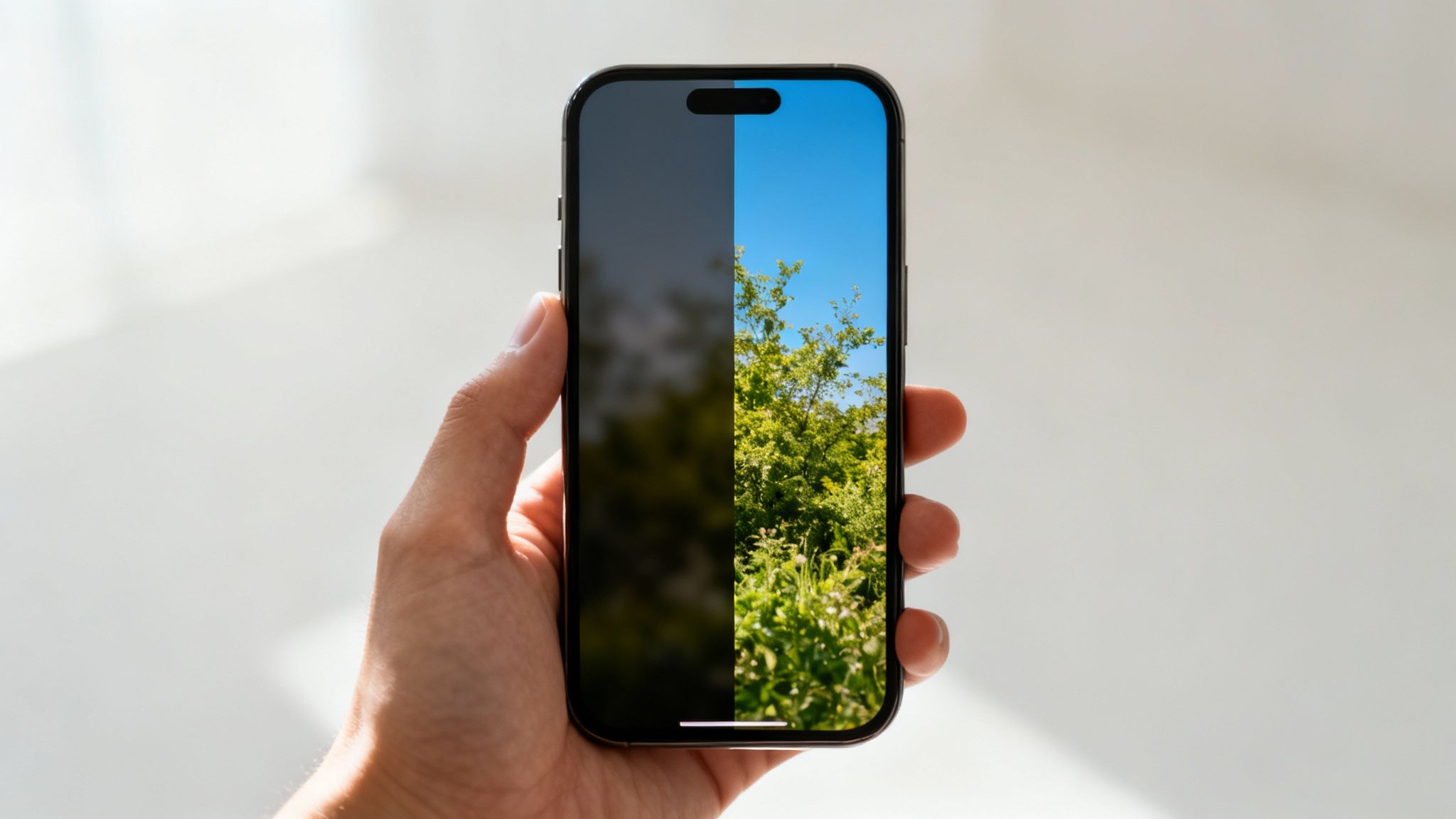
Got an old, grainy family photo? Or a shot from a concert that came out dark and noisy? In the past, you’d need to be a Photoshop wizard to salvage it. Now, AI algorithms can do the heavy lifting in seconds, sharpening details, clearing up noise, and even adding realistic textures where they were missing.
Why This Technology Matters Now
Let's face it: we live in a visual world. Whether you're selling products online, building a brand on social media, or just trying to make your vacation photos pop, high-quality images are non-negotiable. AI enhancement puts that power in everyone's hands.
This shift is creating a massive market. The global AI image enhancer space is projected to jump from USD 2.6 billion in 2024 to a staggering USD 50.7 billion by 2034. Why the huge leap? Because it solves real, everyday problems for creators and businesses.
To get a better sense of what this technology can fix, here’s a quick breakdown of common photo issues and the AI tools designed to solve them.
Common Image Problems and Their AI Solutions
| Problem | AI Solution | Best Used For |
|---|---|---|
| Image is too small or pixelated | Upscaling | Making web graphics print-ready or old photos usable on high-res screens. |
| Photo is grainy or has "digital noise" | Denoising | Cleaning up photos taken in low light, like at concerts or evening events. |
| Subject is dark or shadows are harsh | Relighting/Color Correction | Fixing backlit portraits or improving the mood and focus of a product shot. |
| Unwanted blur from movement or focus | Deblurring/Sharpening | Rescuing slightly out-of-focus shots or reducing motion blur from a moving subject. |
These are just a few examples, but they show how targeted these tools can be. Each one is built to tackle a specific flaw, giving you a much cleaner result than a one-size-fits-all "enhance" button.
At its core, AI image enhancement is about saving time and unlocking potential. It turns mediocre shots into usable assets and gives great photos that final polish needed to stand out.
Ultimately, this technology closes the gap between the photo you actually took and the one you envisioned. It’s a huge piece of the puzzle when we talk about AI for photography, helping everyone from marketers to influencers create better visuals, faster.
How AI Actually Learns to See Your Images
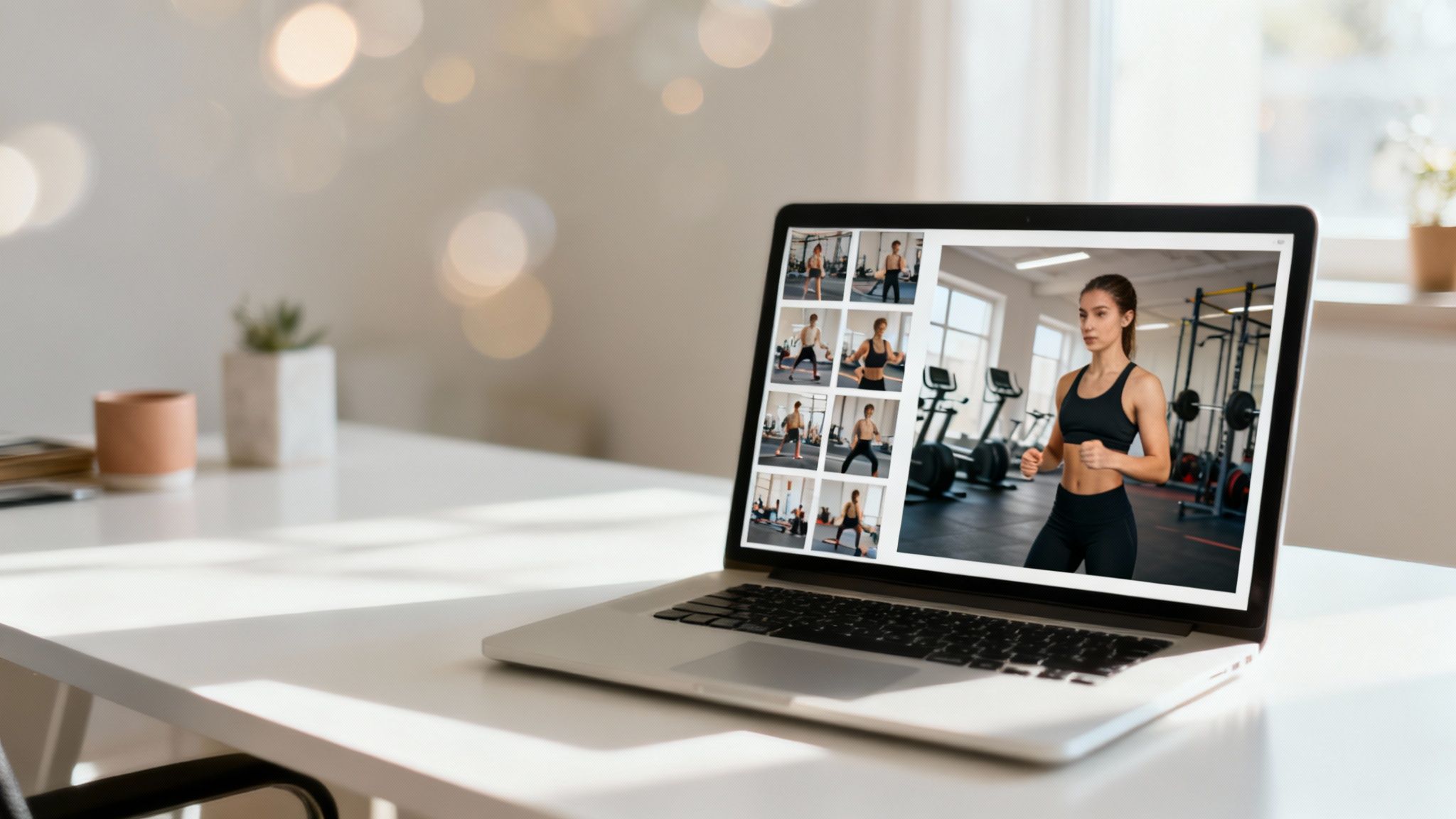
The way AI image enhancement works can seem like a bit of black magic, but it’s really all about training. Think of an art student who spends years studying millions of photographs—some blurry, some sharp, some poorly lit, and others perfectly balanced. After a while, that student develops an intuitive sense of what makes a great photo.
AI models go through a similar, but far more intensive, process. They're trained on massive datasets filled with pairs of low-quality and high-quality images. By constantly comparing the "before" and "after" shots, the AI starts to recognize the specific patterns, textures, and details that define a clear, professional-looking picture.
So, when the AI gets ahold of your blurry photo, it isn't just randomly sharpening pixels. It’s digging into its vast visual memory to reconstruct the details it predicts should be there. It’s essentially filling in the blanks with an incredibly educated guess, often with stunning accuracy.
The Painter and the Critic Analogy
One of the cleverest methods driving modern AI image tools is something called Generative Adversarial Networks, or GANs. The name sounds intimidating, but the concept is surprisingly simple. Just imagine two AIs working in tandem: a Painter and a Critic.
- The Painter (Generator): Its only job is to create the enhanced image. It takes your original photo and does its best to generate a realistic, high-quality version based on everything it’s learned.
- The Critic (Discriminator): This AI is the quality control expert. Its job is to spot fakes by comparing the Painter’s output to a library of real high-resolution photos. It then decides if the new image looks authentic or like a cheap knock-off.
These two are locked in a perpetual competition. The Painter keeps trying to trick the Critic, and the Critic gets progressively better at catching even the smallest flaws. This constant back-and-forth pushes the Painter to create images that are incredibly realistic and detailed.
Through millions of rounds of this creative rivalry, the system learns not just to sharpen an image, but to understand its context—rebuilding textures like fabric, skin, and hair with a level of detail that was previously impossible.
Training for Real-World Results
This sophisticated training method is what’s fueling the incredible growth in this space. In fact, the AI image editor market is expected to grow by USD 109.8 million between 2024 and 2029, as shown in the full GlobeNewswire report. This is a direct result of these algorithms getting better and better at everyday tasks like background removal, color correction, and upscaling.
At the end of the day, the goal is to build an AI that doesn’t just see a grid of pixels but truly understands what those pixels represent. By mastering this, the tool can enhance your photos in a way that looks both professional and completely natural. If you want to dive deeper into the nuts and bolts, check out our guide on how to train an AI model.
Your Toolkit of AI Enhancement Techniques
Think of AI image enhancement less like a single magic button and more like a workshop full of specialized tools. Each tool is built for a specific job, and knowing which one to grab is the key to getting professional results. Instead of just giving you dictionary definitions, let’s look at what these techniques actually do with some real-world examples.
You'll quickly see that a few core methods are the foundation for almost everything. Once you get a handle on these, you'll be able to spot common image problems and know exactly how to fix them.
Upscaling and Denoising for Crystal Clarity
Two of the most common headaches for creators are low resolution and digital noise. You know the story: an image looks great on your phone, but when you try to print it or blow it up for a design, it turns into a pixelated mess. That’s where upscaling saves the day.
AI upscaling isn’t just about making a picture bigger; it intelligently creates new detail out of thin air. The AI analyzes the pixels it has and uses its training to generate new ones that look completely natural, essentially rebuilding the image at a higher resolution. A small, blurry photo can suddenly become sharp enough for a website banner. If you're looking to turn low-quality pictures into high-resolution assets, our detailed guide explains exactly how to use an AI upscaler effectively.
Then there's denoising, your best friend for cleaning up grainy photos. This usually happens when shooting in low light—think concerts or moody indoor shots—where your camera sensor introduces distracting speckles. AI denoising algorithms are smart enough to tell the difference between unwanted noise and actual image detail, carefully scrubbing away the grain without smudging the important stuff.
Key Takeaway: Upscaling adds intelligent detail to increase an image’s size, while denoising removes distracting grain from low-light photos. These two are the foundation of image restoration.
Relighting and Color Correction for the Perfect Mood
Lighting is everything. A poorly lit photo, whether it has harsh shadows or flat, boring colors, can kill an otherwise great shot. Thankfully, AI-powered relighting and color correction tools let you fix these problems long after you've put the camera away.
- AI Relighting: This technique lets you add, move, or even remove light sources within an image. Got a portrait where one side of the face is lost in shadow? AI can add a soft, virtual "fill light" to bring those details back and create a much more balanced, professional look. It can completely change the vibe, turning a flat midday shot into a dramatic golden-hour scene.
- Color Correction: AI can also analyze the colors in your image and automatically adjust them to look more natural and vibrant. It can fix off-kilter white balance, punch up dull colors, and make sure skin tones look true to life. This is a massive time-saver compared to manually fiddling with endless sliders for hue, saturation, and brightness.
Beyond just fixing things, AI also opens up some incredible creative doors. For example, you can apply unique artistic styles to your photos using AI style transfer techniques, making a simple photo look like a painting from a famous artist. These tools give you the power to not just improve your images, but to completely reimagine them. With this toolkit in hand, you can approach any photo with a clear plan.
Putting It All Together with Advanced Workflows
https://www.youtube.com/embed/Ig3CUYNKpa4
Individual AI tools are great, but the real magic begins when you start combining them. Pros rarely stop at a single click. Instead, they layer multiple enhancements to build a polished, commercial-grade final product. This is where you graduate from simple fixes to strategic image creation.
Think of it like a chef in a kitchen. Upscaling is your prep work—making sure you have high-quality ingredients. Denoising is cleaning them up. But the final dish only comes together when you combine everything in just the right order.
These multi-step processes, or workflows, are how brands create consistently clean and compelling visuals at scale. By chaining different AI enhancements, you can automate what used to take a skilled editor hours of manual work.
The E-Commerce Product Shot Workflow
For any online store, a crisp, distraction-free product photo is everything. A popular workflow involves isolating the product and then placing it into an ideal setting.
- Step 1: Object Removal. Start by zapping any unwanted reflections, dust spots, or background clutter from the original shot. This makes sure the product itself looks flawless.
- Step 2: Background Replacement. Next, swap the original background for a clean, solid color or a professional lifestyle scene that matches the brand’s vibe.
- Step 3: AI Relighting. Finally, add subtle relighting to make the product pop. You can create a soft shadow to ground it in the new scene or brighten key features to catch the customer’s eye.
This simple three-step process turns a standard photo into a high-converting asset, ready for any product page or ad campaign.
From Static Photo to Dynamic Video
On social media, motion stops the scroll far better than a static image. A simple but incredibly effective workflow can turn a great photo into a short, engaging video loop that's perfect for platforms like Instagram or TikTok.
An image-to-video workflow takes a high-quality still and adds subtle movement. The AI might introduce a slow zoom, a gentle pan, or parallax effects that create a sense of depth. Instantly, the content feels more dynamic and alive.
This flowchart shows a typical process for restoring a low-quality image before dropping it into a more creative workflow.
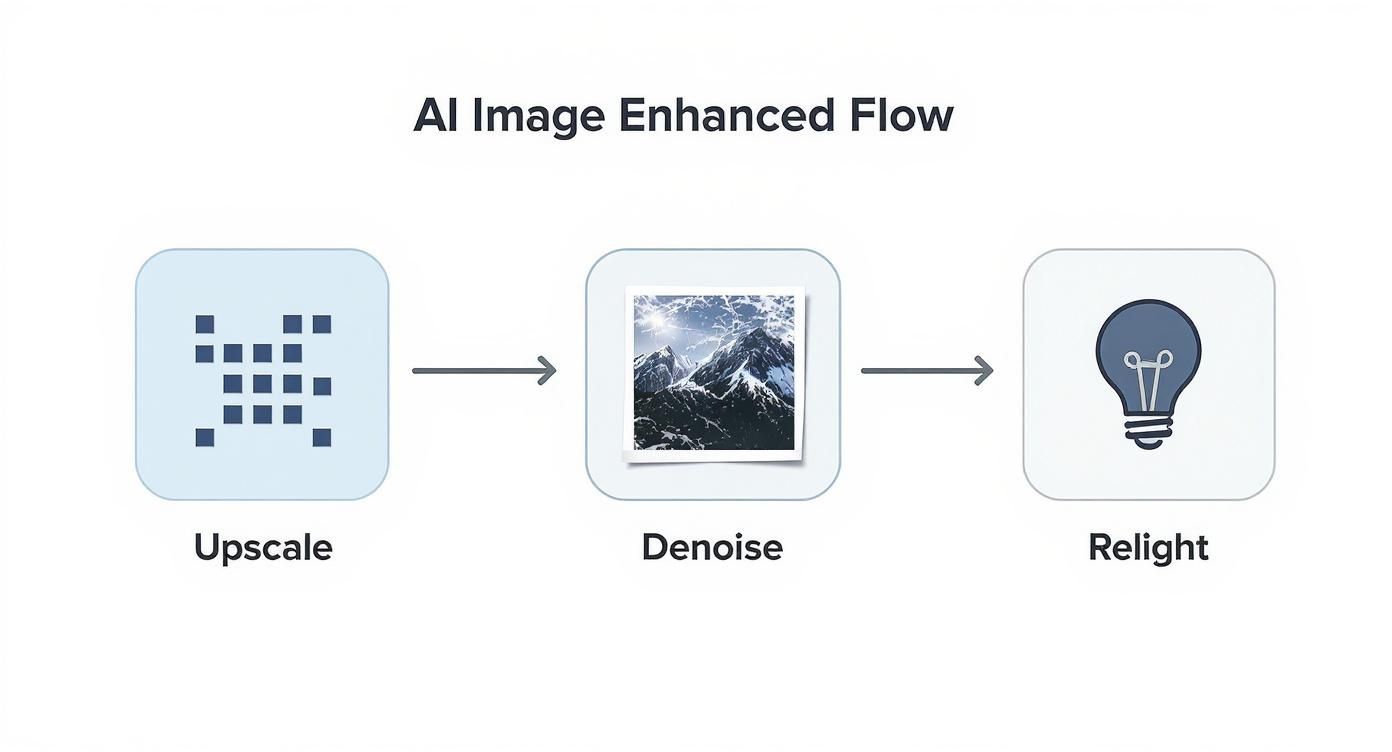
As you can see, foundational steps like upscaling and denoising are what prepare an image for more advanced creative edits like relighting.
These workflows are only getting more sophisticated as the technology improves. Breakthroughs like latent diffusion models and deep convolutional GANs are making tasks like color transformation and inpainting incredibly accurate. This progress is fueling a fast-growing market where AI-enhanced images are becoming standard in marketing, retail, and entertainment. You can find more insights on the expanding AI image generator market on Technavio.com.
By mastering these simple combinations, you can push your visuals far beyond basic edits.
How to Choose the Right AI Enhancement Tool
With so many AI image enhancement tools out there, picking the right one can feel a bit overwhelming. But don't worry—it’s easier than it looks. Most tools fit into a few main categories, and once you know what they are, you can quickly zero in on the perfect fit for your projects.
The market really boils down to three types of tools. Each one strikes a different balance between convenience, raw power, and what it’ll cost you.
Standalone Apps vs Web Platforms vs Plugins
First things first: think about how and where you do your creative work. Are you making edits on your phone during a commute, sitting at your main workstation, or working deep inside a program like Photoshop? Your answer will point you in the right direction.
- Standalone Apps: Think of these as dedicated programs for your desktop or phone. They’re great if you want a focused, powerful tool that does one thing really well, without needing any other software to run.
- Web-Based Platforms: These are the tools you access right from your browser. They're perfect for quick, one-off edits or when you're working with a team. No downloads, no installation—just upload and go.
- Plugins: For the pros. These tools are designed to slot directly into software you already use, like Adobe Photoshop or Lightroom. They bring powerful AI features right into your existing workflow, which is a massive time-saver.
To make the right call, you'll need to weigh a few things: your budget, how much of a learning curve you're willing to handle, and the specific features you need. Are you mostly upscaling, or do you need things like background removal? If you're mainly working on a mobile device, our guide to the best AI photo apps is a great place to start.
The best tool is the one that feels like a natural extension of your creative process. A professional photographer will probably gravitate toward a Photoshop plugin, while a social media manager will love the speed of a web-based platform for getting content out fast.
Comparing Different Types of AI Enhancer Tools
To make this even simpler, here’s a quick comparison table. Use this to find the best type of AI tool based on your skill level, budget, and project needs.
| Tool Type | Best For | Pros | Cons |
|---|---|---|---|
| Web-Based Platforms | Quick edits, beginners, and collaborative teams. | Highly accessible, no installation, often free or subscription-based. | Requires internet, may have processing limits on free tiers. |
| Standalone Apps | Hobbyists and professionals needing dedicated features. | Powerful, offline access, one-time purchase options. | Can be costly, takes up disk space. |
| Plugins | Professional editors and designers. | Integrates into existing workflows, very powerful. | Requires host software (e.g., Photoshop), can be expensive. |
After looking at the options, you can see how each one serves a different kind of creator.
Of course, enhancing photos is just one piece of the puzzle. Many of us are now using AI to create images from scratch. If you're curious about that side of things, checking out the best free AI image generators is a great next step. By understanding these different categories, you can pick a tool that not only makes your images look better but also makes your entire creative life a whole lot easier.
Avoiding Common Pitfalls and Using AI Ethically
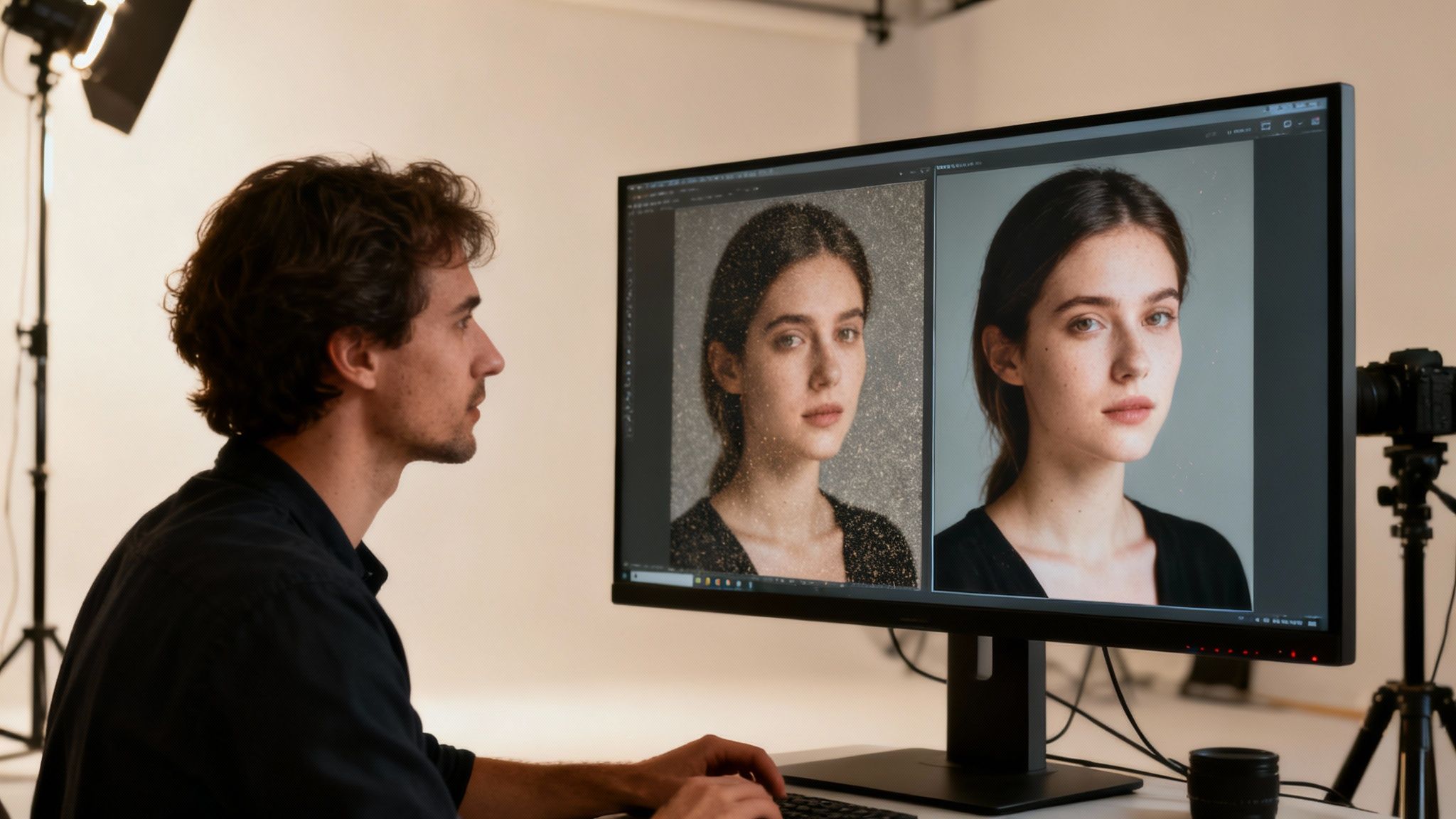
As incredible as AI image enhancement can be, it's not a magic wand. There’s a real art to using these tools, and pushing them too hard can backfire, creating images that look strange or just plain fake. Knowing what to watch out for is key to keeping your work looking professional.
One of the biggest giveaways of over-editing is the dreaded "plastic skin" effect. This happens when an AI goes overboard with smoothing, erasing natural skin texture and leaving someone looking more like a mannequin than a person. You should also keep an eye out for digital artifacts—those weird, blocky pixels or distorted patterns that pop up when the AI gets confused.
A great enhancement should be invisible. The goal is to make the original photo look like it was shot perfectly, not to create a result that screams "this has been edited by a machine."
The best way to sidestep these issues? Start with the highest quality image you can. An AI makes educated guesses to fill in the gaps, so the more data you give it, the better those guesses will be.
Navigating the Ethics of AI Editing
Beyond getting the technical side right, we have to talk about the ethics. These tools are powerful, and there's a fine line between enhancing an image and deceiving your audience. Building and keeping trust is everything.
Simply being upfront about your process is a huge first step. If you’ve made significant changes to a photo for a marketing campaign or social media, a quick note about your use of AI can go a long way. This kind of transparency manages expectations and protects your credibility. For a deeper dive, it's worth understanding what is synthetic media and the broader conversation around it.
Here are a few simple guidelines to follow:
- Respect Authenticity: Steer clear of edits that misrepresent reality, especially for things like news reporting or personal portraits where the truth matters.
- Understand Data Privacy: Before you upload anything, get familiar with the tool's privacy policy. You need to know exactly how your images—or your client's images—are being stored and used.
- Prioritize Transparency: When in doubt, disclose. Whether it’s a product photo or a professional headshot, being open about your methods is always the best policy.
When you combine technical skill with a strong ethical compass, you can create truly amazing visuals without compromising your integrity.
Frequently Asked Questions
Even after getting the hang of AI image enhancement, you probably still have a few nagging questions. It's totally normal. Here are some quick answers to the ones we hear most often from creators and brands.
Can AI Really Fix Any Photo, No Matter How Awful It Is?
Look, AI is powerful, but it's not a miracle worker. It needs something to work with. If you feed it an extremely blurry or pixelated image, the AI is forced to guess what's missing, and those guesses can look pretty weird and unnatural.
Think of it like trying to restore an old, torn-up document. If entire chunks of text are gone, you can only fill in the blanks so much before you're just making things up. AI is an incredible enhancement tool, but it can't create detail from thin air.
Is Using AI to Enhance Photos Basically Cheating?
This one is all about context. If you're creating images for marketing, social media, or your own personal projects, using AI is just the next step up from standard editing software like Photoshop. These tools are built to boost quality and save you a ton of time.
Where it gets tricky is in fields like photojournalism, where the absolute truth of the image is paramount. In that world, altering the core content of a photo is a major ethical breach. The golden rule is transparency—just be upfront about your edits whenever authenticity is the main goal.
It's less about if you edit and more about why. For creative or commercial work, AI is a smart tool. For documentary work, the original image is sacred.
Are AI Image Enhancers Going to Put Professional Photo Editors Out of a Job?
Not likely. It’s far more probable that AI will become an indispensable assistant for professionals, not a replacement. AI is fantastic at the tedious, time-sucking tasks—think noise reduction, basic color balancing, or masking.
This frees up human editors to pour their energy into the creative and artistic choices that still require a human eye and a specific vision. The editor's job will simply evolve; they'll become the creative director, guiding the AI to get the exact look they're after, but much, much faster.
Ready to see what AI can do for your own photos? With YourAIPhotographer, you can turn simple selfies into polished headshots, lifestyle photos, and on-brand content in just a few minutes. Start creating your photorealistic model today!