

How to Take Cute Selfies: A Quick Guide to Flawless Shots
Learn how to take cute selfies with simple lighting, clever posing, and easy editing tips. Your go-to guide to selfie confidence and clicks.
Table of Contents
Taking a great selfie really just comes down to a few key things: finding beautiful light, picking a clean background, and using an angle that makes you feel amazing. If you get your environment right and know a couple of simple camera tricks, your photos will look better instantly—no fancy gear required.
Setting the Scene for a Perfect Selfie
Before you even think about hitting that camera-flip button, let's talk about the single most important part of a great selfie: your environment. This isn't about needing a perfectly decorated room. It's simply about controlling what your camera sees so that you are the star of the show.
A cluttered, busy background is the fastest way to ruin an otherwise great shot because it pulls focus away from your face. Instead, look for simplicity. A solid-colored wall, a patch of green bushes outside, or even a cozy, softly lit corner can work wonders. Clean backdrops make sure everyone's eyes land right where they should: on you.
Curate Your Background and Outfit
Think of the background as the supporting character in your photo. It’s there to make you look good, not to steal the spotlight.
- Look for Simplicity: Go for interesting textures instead of clutter. A brick wall, a simple curtain, or a clear blue sky adds a nice touch without being a distraction.
- Scan for Clutter: Always do a quick check for stuff you don't want in the frame, like a laundry pile or a weird poster in the background. Sometimes just shifting a few feet to the left or right can completely transform the shot.
- Coordinate Your Look: What you wear matters. If you have a neutral background, a top with a pop of color can look incredible. On the other hand, if your background is a little busy, stick with a simple, solid-colored outfit to keep things balanced.
When you feel good in what you're wearing, it shows. That confidence comes through in your expression, so pick something that makes you feel comfortable and happy. If you're stuck for ideas, check out these creative selfies ideas to get the juices flowing.
Why a Little Prep Goes a Long Way
Selfies are a massive part of our culture. Just on Android phones, people take around 93 million selfies every single day. The trend is huge with younger crowds, too—about a third of all photos taken by people aged 18 to 24 are selfies. With that many pictures being snapped, a little bit of prep work is what makes yours stand out. You can see more on the massive scale of mobile photography with these insights on PhotoTrend.
The real secret to how to take cute selfies is in the five minutes you spend before you open the camera app. When you set the stage with a little thought, you get rid of distractions and create the perfect foundation for a photo you'll love.
Finding Flattering Light and Camera Angles
Great lighting and the right camera angle are the two biggest secrets to transforming a quick snap into a selfie you’ll actually want to share. The best part? You don't need a complicated, expensive setup. The best light is usually free and waiting for you right by a window.
Natural light is a selfie's absolute best friend. It casts a soft, even glow that smooths out your skin and puts a natural sparkle in your eyes. The easiest trick in the book is to simply stand facing a window. The light filters in, wrapping around your face and erasing any harsh shadows that might create dark circles or highlight things you'd rather not.
Before we dive into the nitty-gritty of lighting and angles, remember that a great selfie starts even before you tap the shutter.
This little visual is a great reminder: a clean background, an outfit you feel good in, and a confident vibe are the foundation. Get those right, and you're halfway there.
Master Your Lighting
So, what happens when the sun is blazing or you're stuck inside on a gloomy day? You still have plenty of options.
- Dodge the Harsh Sun: Direct overhead sunlight is a selfie-killer. It creates weird, unflattering shadows under your eyes and nose. If you have to shoot in the middle of the day, find some open shade—under a tree, an awning, or the side of a building. The light will be bright but not beating down on you.
- Catch the Golden Hour: Photographers rave about it for a reason. That magical hour right after sunrise and just before sunset gives off a warm, golden light that makes everyone look amazing. The low angle of the sun creates a soft, dreamy glow.
- Make Friends with a Lamp: Stuck indoors? Stay away from overhead ceiling lights. Instead, find a lamp and place it in front of you, maybe slightly off to one side. This will imitate the soft, flattering light from a window. If you want to get a little more advanced, our guide to professional headshot lighting setups has some great tips you can scale down for selfies.
The number one rule to remember? Always face your light source. Whether it's a window, a lamp, or the sun, it should be in front of you. Light from behind turns you into a silhouette, and light from above gives you raccoon eyes.
Find Your Best Angles
Once you've got your lighting sorted, it's time to play with angles. This isn't about rigid rules; it's about experimenting to see what highlights your best features. A tiny shift can completely change the photo.
To help you get started, here's a quick cheat sheet for matching your lighting and angles to the vibe you're going for.
Lighting and Angle Quick Guide
| Selfie Style | Best Lighting | Recommended Angle | Effect Created |
|---|---|---|---|
| Classic & Cute | Soft, natural light (facing a window) | Slightly above eye level | Brightens eyes, defines jawline, very flattering |
| Dramatic & Artsy | Side lighting (from a window or lamp) | Straight on or slightly turned | Creates depth with shadows, highlights bone structure |
| Soft & Dreamy | Golden hour (outdoors) | Eye level or slightly below | Warm, ethereal glow, minimizes imperfections |
| Casual & Candid | Bright, indirect light (open shade) | Any angle that feels natural | Looks effortless and authentic |
As you can see, the most universally flattering shot is holding your phone slightly above eye level and pointing it down. This simple move helps define your jawline, makes your eyes look a bit bigger, and generally has a slimming effect. Just try to avoid shooting from below—it’s a tough angle for almost everyone.
To add more personality and avoid that flat, "mugshot" look, try a few of these moves:
- Tilt your head. A slight tilt to one side instantly makes the pose feel more relaxed and dynamic.
- Turn your body. Instead of facing the camera head-on, turn your shoulders about 45 degrees to the side, then turn your face back to the camera.
- Find your "good side." Seriously, most of us have one! Snap a few quick pics from the left and right to see which you prefer.
Nailing the combination of great light and a flattering angle is the core formula. Once you get a feel for it, you'll be taking cute selfies without even thinking about it.
Posing and Expressions That Feel Natural
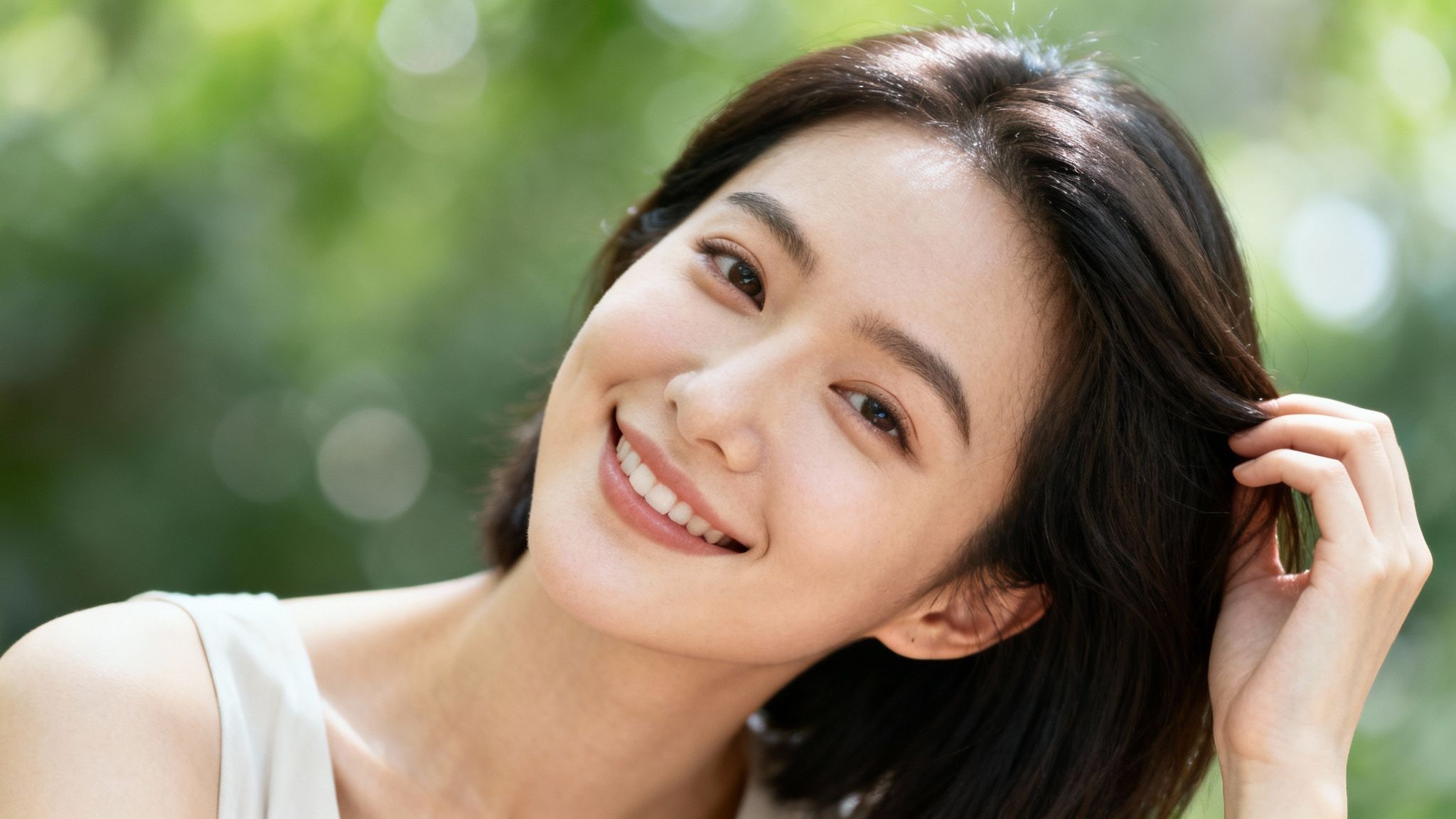
If posing for a selfie makes you feel a little awkward, you're definitely not alone. The whole goal is to find poses and expressions that actually feel like you, not like you're forcing a smile for a high school yearbook photo. The best selfies always capture a genuine moment, and that starts with just feeling relaxed.
Forget about those stiff, frozen poses. The real secret to a natural look is to bring in a little bit of movement. Instead of just holding perfectly still, try interacting with your surroundings or even just yourself.
Introduce Movement and Personality
Tiny actions can take a selfie from flat and boring to full of life. It's all about creating that candid feeling, even when you've planned the shot down to the last detail.
- Relax Your Shoulders: Tension is a photo killer. Before you snap the picture, take a deep breath and let your shoulders drop down and away from your ears. You'd be surprised how much of a difference this makes.
- Play with Your Hair: Casually tucking a strand of hair behind your ear or letting your fingers brush through it adds a soft, dynamic touch. It looks effortless.
- Interact with Your Outfit: A hand lightly resting on the collar of your jacket or adjusting a cuff makes the pose feel much less staged.
These simple gestures give your hands something to do—which solves the "what do I do with my hands?" dilemma—and help break up any stiffness. Need more ideas? Our guide on how to pose for headshots is packed with tips that translate perfectly to selfies.
Master a Genuine Smile
The line between a cute selfie and a slightly cringey one often comes down to the smile. A forced grin is a dead giveaway, so the trick is to spark a moment of real happiness.
It might sound cheesy, but try a fake laugh. Seriously. The physical act of laughing out loud, even if you start out faking it, often morphs into a real, genuine smile. Another trick I love is to think of something that actually makes you happy—a funny memory, your dog, a friend. Look away from the camera for a second, let that happy thought sink in, then turn back and snap the photo right as that authentic smile hits your face.
Don’t just smile with your mouth; let your eyes get in on the action. It's called a "Duchenne smile," and it's what signals true joy. When you think of that happy memory, your eyes will naturally light up and crinkle at the corners, making your entire expression feel authentic.
Considering people spend an average of seven minutes a day on selfies (that's 54 hours a year!), it's worth taking a little time to find expressions that feel like you. With 45% of people snapping selfies at graduations and 40% on vacation, capturing authentic joy is what it's all about. You can dig into more facts about selfie-taking habits to see how your own habits stack up.
At the end of the day, the best pose is one where you feel comfortable and confident. Play around with these little movements and emotional cues to find what makes you shine.
Using Your Smartphone Camera Like a Pro
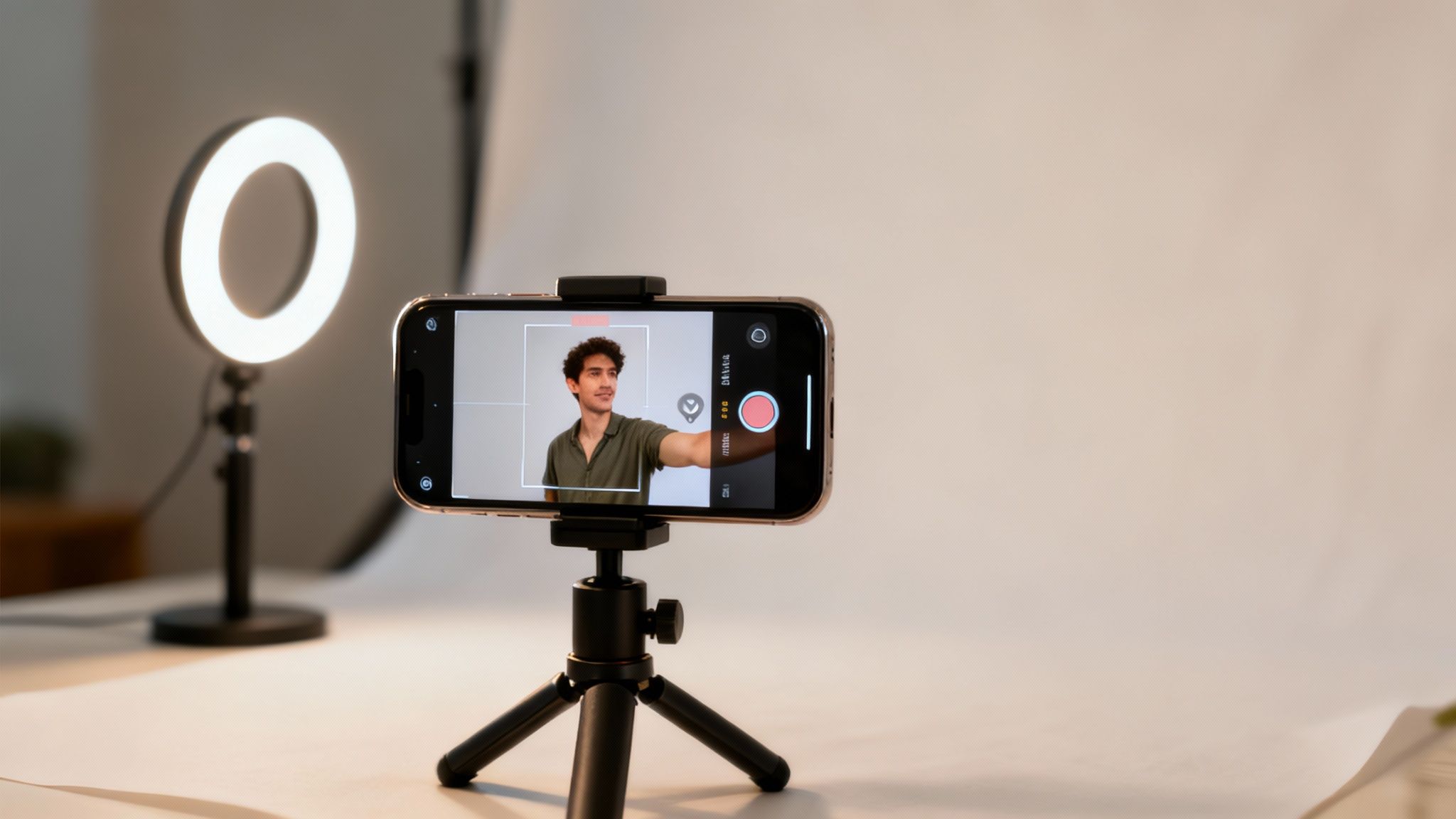
The camera sitting in your pocket is ridiculously powerful. You don't need to be a tech genius to get the most out of it, either. Learning just a couple of key settings can take your selfies from "meh" to "wow" with just a few taps.
The easiest way to get that professional polish is with Portrait Mode. This feature is a game-changer. It uses software to blur the background, creating that creamy, out-of-focus look photographers call "bokeh." It makes you the star of the show and instantly makes your selfie look like it was shot on a much fancier camera.
Beyond the special modes, you have manual control over the two most important parts of any photo: focus and light. Just tap your face on the screen. You'll see a little box appear, locking in the focus. Right next to it, a sun icon will pop up. Slide that up or down to brighten or darken the shot before you even press the shutter.
Maximize Your Camera's Potential
For the absolute best quality, it’s time to flip your phone around. The main camera on the back of your phone is almost always leagues better than the selfie cam. This means you’ll get sharper, more detailed photos that look way better, especially when the lighting isn’t perfect.
Of course, the tricky part is that you can’t see yourself. Here’s a simple trick to nail the shot every time:
- Steady your phone: Prop it up on a shelf or, even better, use a small tripod. Stability is key.
- Use the self-timer: Set it for 3 or 10 seconds. This gives you plenty of time to get into position and strike a pose without fumbling.
- Pose and go: Hit the shutter button and get into frame. Using the timer means no shaky hands blurring the final shot.
Pro Tip: Don't forget about voice commands! Many phones let you say things like "Take a picture" to activate the shutter. It’s a great hands-free way to keep the phone perfectly still, even when using the back camera.
Elevate Your Setup with Simple Accessories
You don't need a full-blown studio to level up your selfies. A couple of cheap and cheerful accessories can make all the difference. A small, clip-on ring light, for example, gives you soft, flattering light wherever you are. It gets rid of harsh shadows and adds a little sparkle to your eyes—perfect for shooting indoors or at night.
The demand for these little gadgets shows just how serious people are about getting the perfect shot. The market for selfie sticks alone was valued at around USD 1.5 billion in 2023 and is expected to more than double by 2032. You can read more about these market trend insights if you're curious about the business side of selfies.
By combining your phone's built-in power with a few clever tools, you gain total creative control. And once you've snapped the perfect pic, you can take it even further. For that final touch of magic, check out our guide to the best AI photo apps.
Simple Editing Tricks for a Polished Look
Think of editing as the final coat of polish that makes your selfie shine. It’s not about changing who you are; it's about making your best features stand out and giving the photo a clean, professional vibe.
The best part? You don't need fancy, expensive software to do it. A quick pass through a free mobile app is all it takes. Once you get the hang of it, you can get it done in under two minutes. Your goal is simply to enhance what the camera captured, not to create an entirely new reality.
Start with the Basics: Brightness and Contrast
The first things I always adjust are brightness and contrast. These two sliders have the biggest impact and can fix a lot of common lighting issues right away.
- Brightness: Is your photo a bit too dark or full of shadows? Gently slide the brightness up. You want to illuminate your face without making it look blown out or washed out. Stop just before you start losing details.
- Contrast: This slider controls the difference between the darkest and brightest parts of your image. Bumping it up just a little adds a nice "punch" and makes the whole photo feel richer and more dynamic.
Nailing these two settings first lays the perfect foundation for everything else.
Enhance Details with Sharpening and Saturation
Okay, once the lighting feels right, it's time to play with color and texture. These are the subtle tweaks that bring that extra layer of polish and make your photo look incredibly crisp.
A common mistake I see is over-editing. A truly cute selfie still looks like you. Your edits should feel like you're just revealing the best version of the original photo, not creating a fake one. Aim for small changes that are barely noticeable on their own but make a big difference together.
Sharpening is great for bringing out tiny details, like the texture in your sweater or the little sparkle in your eyes. But use a light hand here. Too much sharpening makes a photo look grainy and unnatural. A little really does go a long way.
Saturation governs how intense the colors are. If the photo feels a bit flat or dull, a tiny boost can make the colors pop. It’ll make the red of your lipstick or the blue sky behind you look so much more vivid. Just like with sharpening, subtlety is everything—you want to avoid that over-processed, cartoonish look.
If you're curious about how technology can take your photos to the next level automatically, check out our guide on AI image enhancement. And for those who love getting creative, tools like AI image generation models like Nano Banana Pro can even help you create unique backgrounds or fun elements to add to your selfies.
By building a simple and consistent editing routine, you'll start to develop a signature style that makes all your selfies look cohesive and effortlessly cute.
Common Selfie Questions Answered
Even when you've got all the best techniques down, taking selfies can still feel a bit like a guessing game. It’s totally normal to hit a few snags. Let's walk through some of the most common issues I see and the simple fixes that make a world of difference.
"Why Does My Face Look So Weird and Distorted?"
This is probably the number one selfie frustration. You take a picture, and suddenly your nose looks huge or your forehead seems massive. It’s not you—it’s your phone's camera. The wide-angle lens on most front-facing cameras creates a "fisheye" effect when it's too close to your face, warping your features.
The fix is surprisingly easy: back it up! Extend your arm as far as you can. A selfie stick is genuinely useful for this, as it creates the perfect distance. If you don't have one, just zoom in ever so slightly—even to 1.1x or 1.2x. That tiny bit of zoom crops out the most distorted parts of the image and gives you a much more natural, flattering look.
"How Do I Get a Smile That Doesn't Look Fake?"
We've all been there, trying to force a smile for the camera and ending up with a grimace. A truly great smile comes from a real feeling, not just from saying "cheese."
Try this: think of something that genuinely makes you happy—a funny memory, a person you adore, or even a silly joke you heard recently. Let yourself actually feel that emotion. Look away from the lens for a second, then as you turn back, let the smile come naturally and start snapping. This is where your phone's burst mode is your best friend. It'll capture a whole series of frames, giving you options to find that perfect, fleeting moment of genuine expression.
The goal of a cute selfie isn't perfection; it's personality. Don't be afraid to let a real laugh or a quirky expression shine through. These are often the photos you'll end up loving the most because they feel true to you.
"How Can I Make My Selfies Look More Consistent?"
If you're trying to build a cohesive look for your social media feed, consistency is key. You don't need a complicated strategy, just a simple and repeatable routine.
- Find Your Light: Figure out where the best natural light is in your home (usually a specific window) and try to take most of your selfies there. Consistent lighting is half the battle.
- Establish Your Go-To Poses: You don't need a hundred different poses. Just find two or three angles and poses that you feel confident and comfortable in. They'll become your signatures.
- Create an Editing Formula: Pick one editing app and stick to it. Whether you find a preset you love or just apply the same few tweaks (like a little brightness, contrast, and warmth), this will create a cohesive style that makes your photos instantly recognizable.
Once you have the perfect shot, you'll want to share it. If you're branching into video selfies, knowing the various Instagram video length limits is super helpful for making sure your content fits perfectly, whether it's for a Reel, a Story, or your main feed.
Ready to create stunning, studio-quality photos without ever leaving your home? YourAIPhotographer turns your favorite selfies into a photorealistic model, letting you generate unlimited professional headshots, lifestyle portraits, and on-brand content in seconds. Get started today at youraiphotographer.com and see what your AI photographer can do for you.